
Home > Protected Data Size Calculation > Google VM Instance and Google Cloud Storage
この記事をダウンロードGoogle VM Instance and Google Cloud Storage
Follow the instructions below to extract the protected data size for Google VM instances or Google Cloud Storage buckets:
-
Make sure you have downloaded the script package. Extract the package to locate the script for your desired service.
-
Sign into the Google Console and open the Google Cloud Shell window.
-
In the Google Cloud Shell window, execute the command lines from the corresponding script to check the protected data size for your desired service. For details on using the Google Cloud Shell, refer to Launch Cloud Shell | Google Cloud Documentation.
-
Upon execution, the protected size data for the corresponding service will be listed.
-
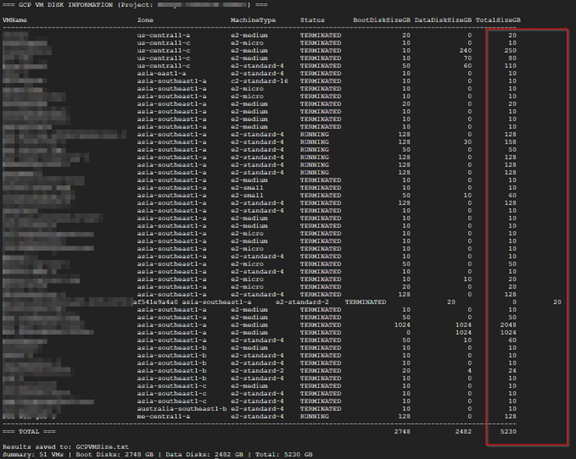
Google VM instances - The protected size of each VM and disk, and the total protected size.
-
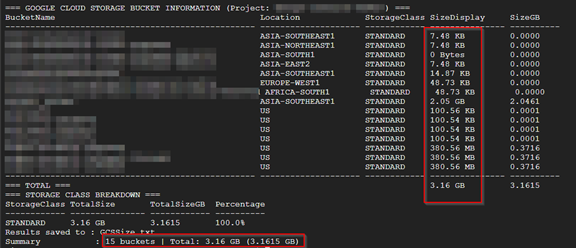
Google Cloud Storage buckets - The protected size of each bucket and the total protected size.
-
-
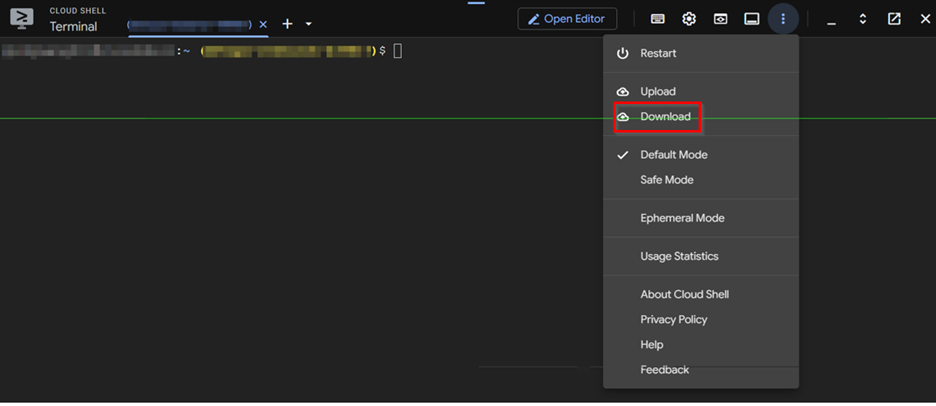
To save the results, click the More actions button and then click Download to download the output as a txt file. Name the txt files as follows:
-
Google VM instances - GCPVMSize.txt
-
Google Cloud Storage buckets - GCSSize.txt
-