Home > Get Started > Generate and Download Encryption Key
Download this articleGenerate and Download Encryption Key
The backup data generated by AvePoint Cloud Backup is encrypted. You need an encryption key to help you convert the backup data to plain file format.
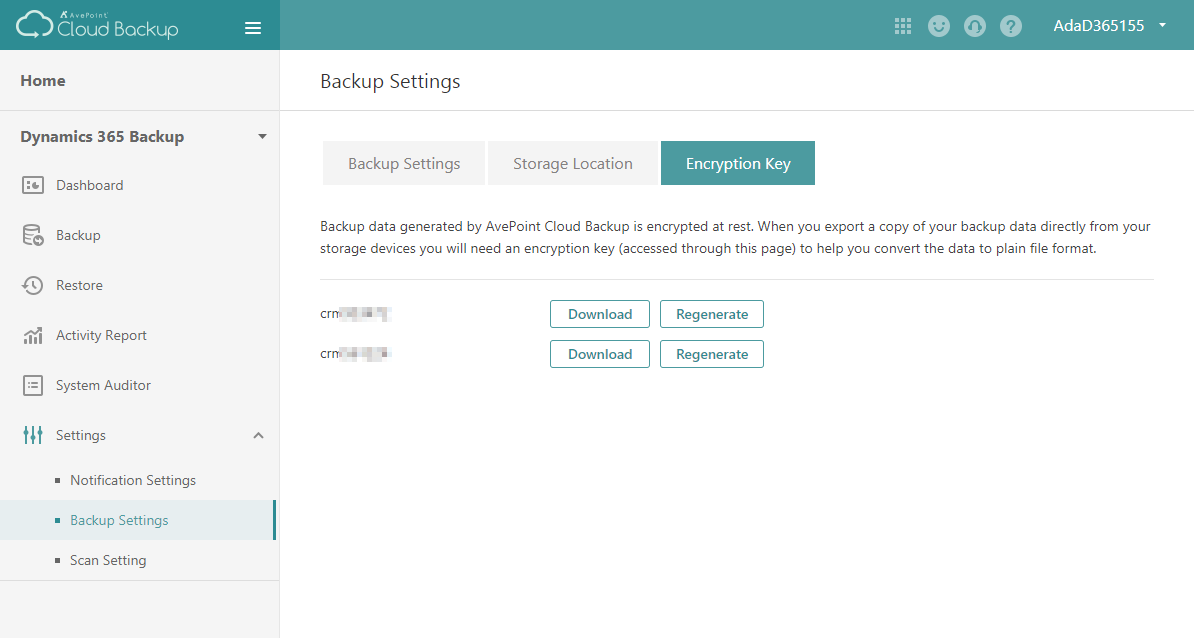
The encryption key file will be exported separately for each organization that you have performed a backup. To export the encryption key, complete the steps below:
-
Go to the AvePoint Cloud Backup for Dynamics 365 interface.
-
Navigate to Settings > Backup Settings > Encryption Key.
-
Click the Generate button next to the organization and then click Download. A ZIP file will be downloaded, and you can save it to your local computer.
NOTEIf your backup for the organization has been updated, you need to regenerate the encryption key. Click the Regenerate button and then download the ZIP file.