Home > Salesforce Licenses
Download this articleSalesforce Licenses
AvePoint Cloud Backup for Salesforce® counts licenses from Salesforce users with specific license types.
Subscription expiration notification emails will be sent to service administrators 10 days before the expiration, 1 day before the expiration, and on the exact expiration date. It will remind service administrators that the account is going to expire, and your data will be maintained for 30 days after the expiration time. You can choose to purchase or renew your subscription to preserve your data and contact AvePoint support for a copy of the data.
If you want to know which license types in your Salesforce environment will be charged, complete the following steps:
-
Navigate to the Developer Console of Salesforce.
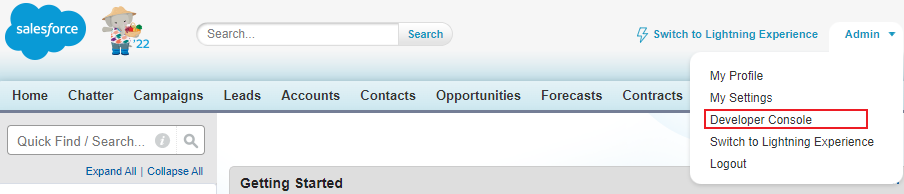
The Salesforce Classic experience.

The Salesforce Lightning experience.
-
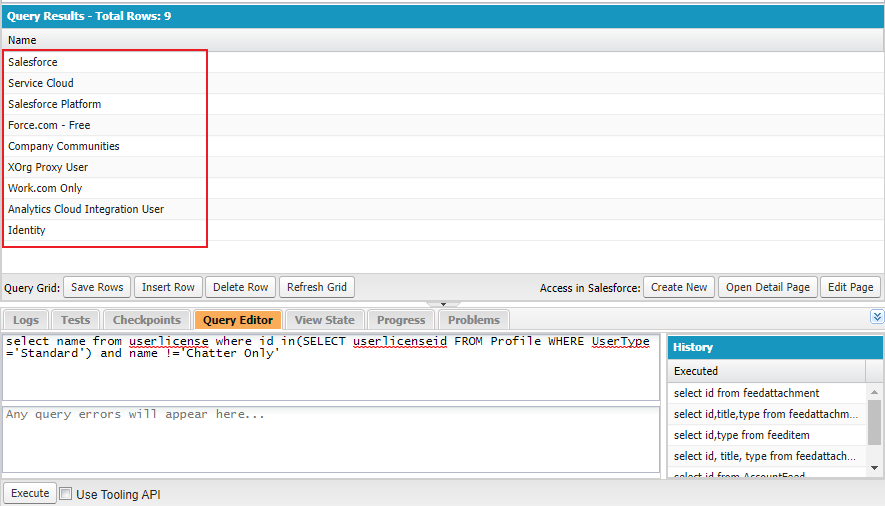
In the Query Editor tab, execute the following query in the tab:
The license types that will be charged are displayed in the query result.
AvePoint Cloud Backup for Salesforce® counts licenses from active Salesforce standard users. If you want to know the number of users in your Salesforce environment that will be charged, complete the following steps:
-
Navigate to the Query Editor tab in the Developer Console of Salesforce.
-
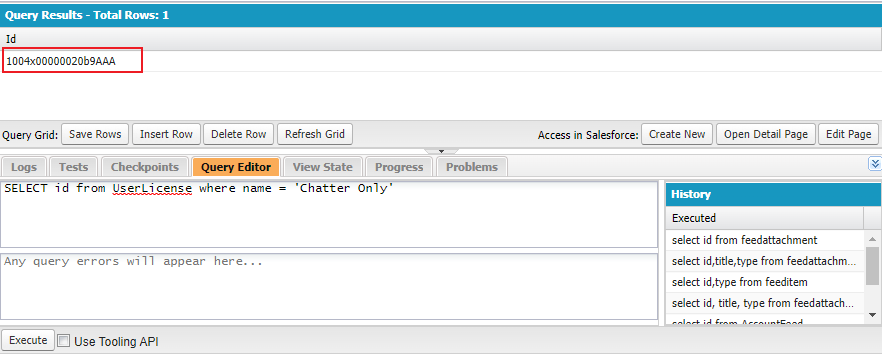
Execute the following query in the tab:
-
If your organization has the Chatter Only license, The ID of the Chatter Only license is displayed in the query result. Copy this ID.
-
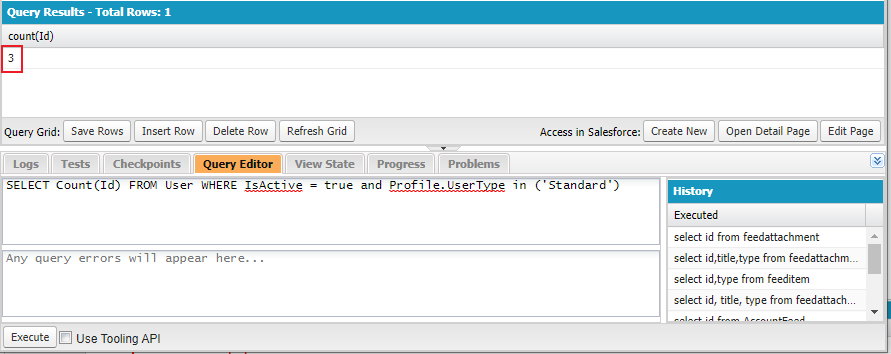
If your organization has the Chatter Only license, execute the following query in the tab. Replace ChatterOnlyId with the ID you copied above. The number of users that will be charged is displayed in the query result.
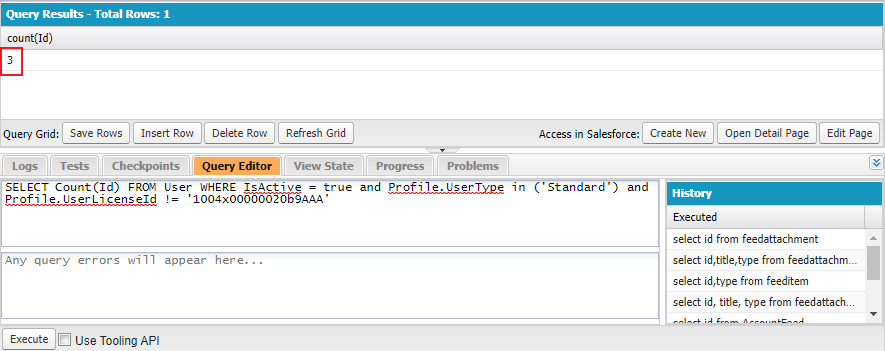
If your organization does not have the Chatter Only license and there is no query result in step 3 above, execute the following query in the tab. The number of users that will be charged is displayed in the query result.